DesigningData-DrivenExperiences
Byshapingdataflows,interfaces,andvisualfeedback,designerscreatesystemsthatreducecomplexityandtransformrawdataintodecision-readyexperiences.
Thispageillustratesdata-drivenuserflowsforajobplatform,includingmanagingusersettings,creatingjobvacancies,andsubmittingapplications.
Applications are dynamic systems that translate complex datasets into meaningful, actionable insights.
From a design perspective, this shifts the role of UX significantly. Designers are no longer only focused on task completion, but on how users interpret data, build understanding, and develop trust in what the system presents. The core question becomes less “Can the user complete a task?” and more “Can the user correctly interpret the data and confidently act on it?”
UX design therefore extends beyond the visual appearance of screens. It involves designing app-specific data flows that align with users' goals and behaviours. Designers map how information moves through the application, identify key user journeys, and determine how data should be presented at different stages of the experience.
By combining user research, information architecture, wireframing, and usability principles, they create seamless interactions that reduce cognitive load, support decision-making, and ensure that both the underlying data structure and the interface work together to deliver meaningful and trustworthy experiences.
UX research plays a key role in understanding how users read, interpret, and make decisions based on data. Interface design translates these insights into structured, usable experiences, while interface engineering ensures these systems function reliably at scale. In data-driven applications, real-time updates and visual feedback are essential, often delivered through charts, dashboards, and interactive components.
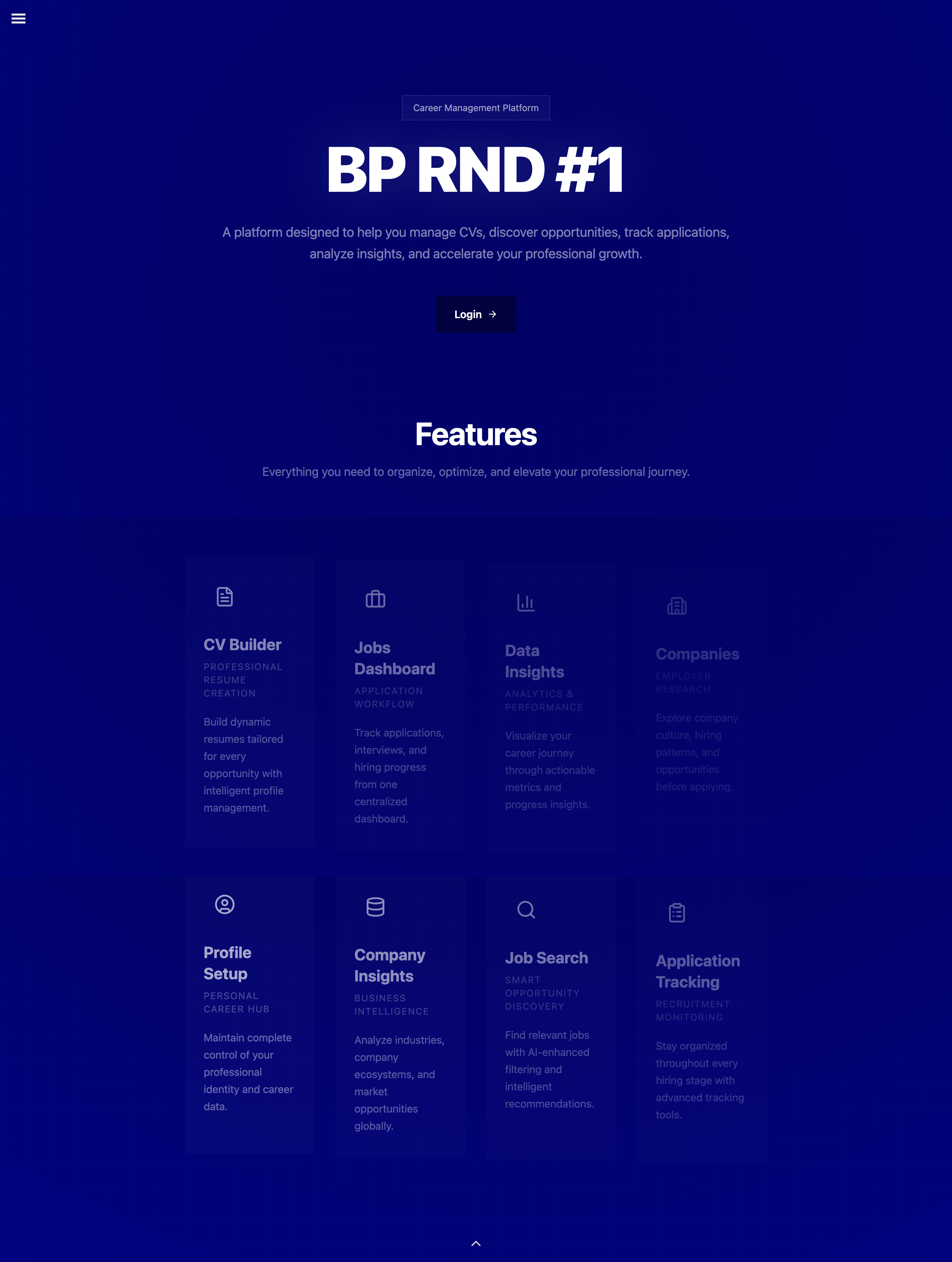
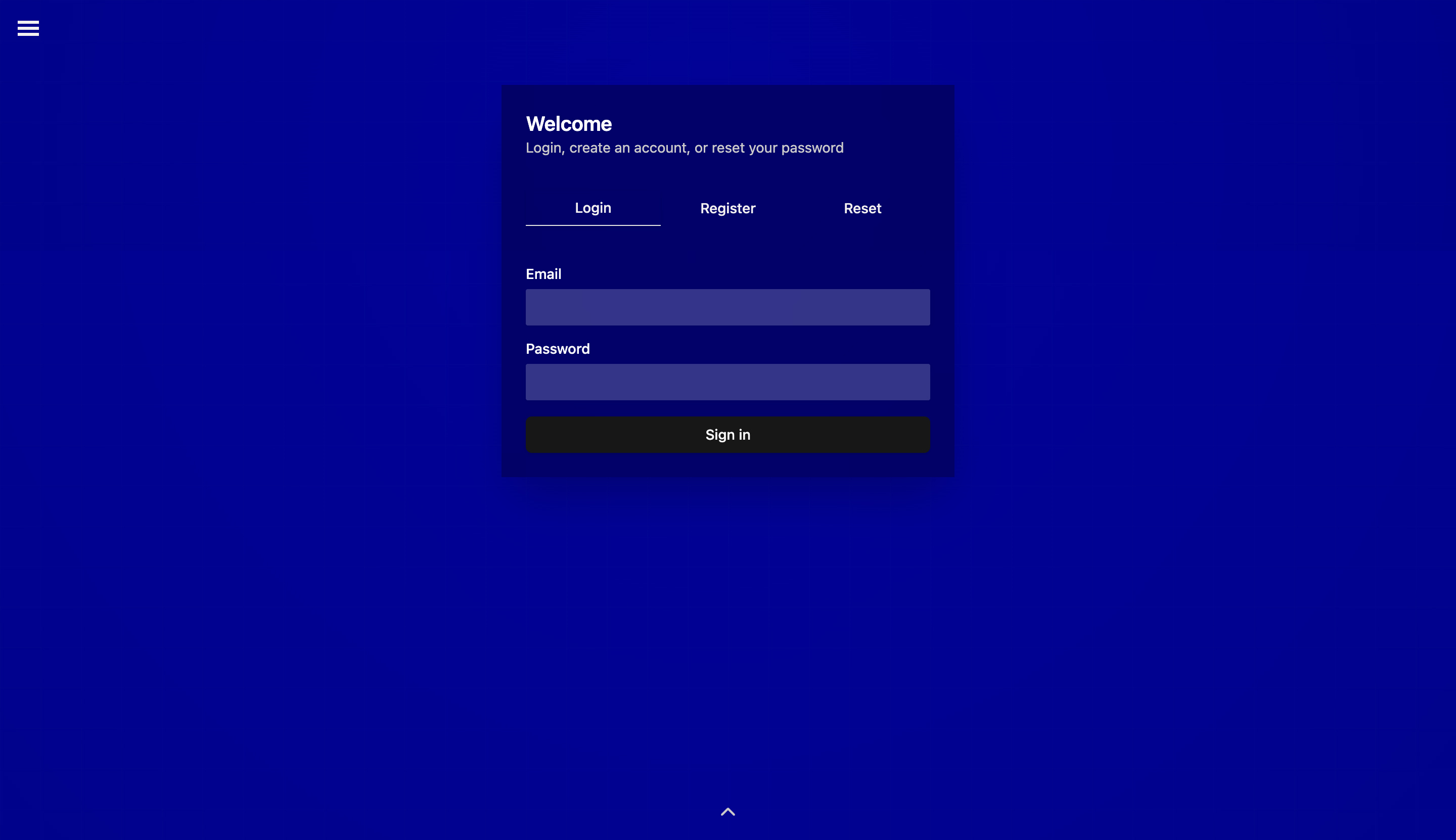
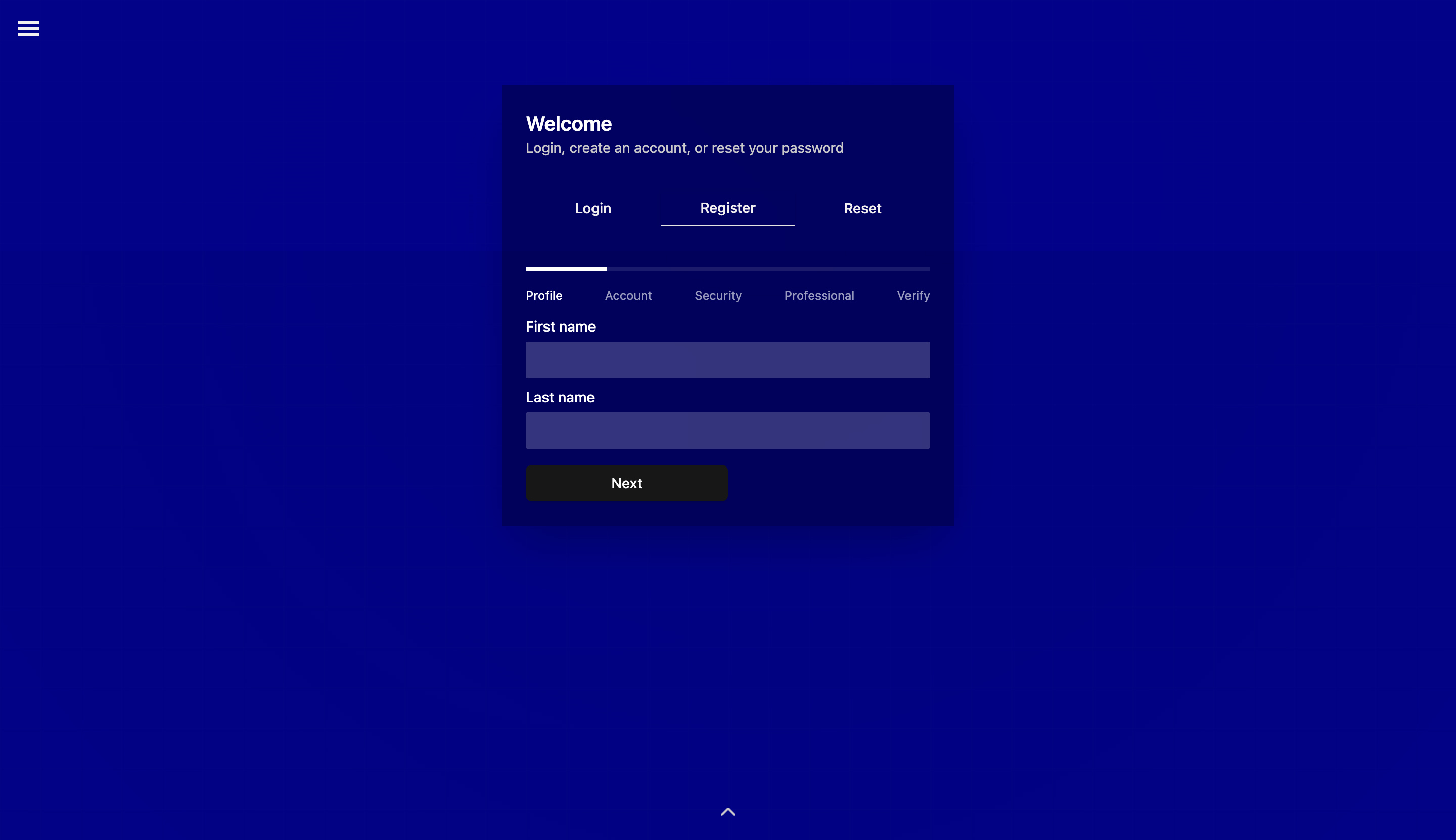
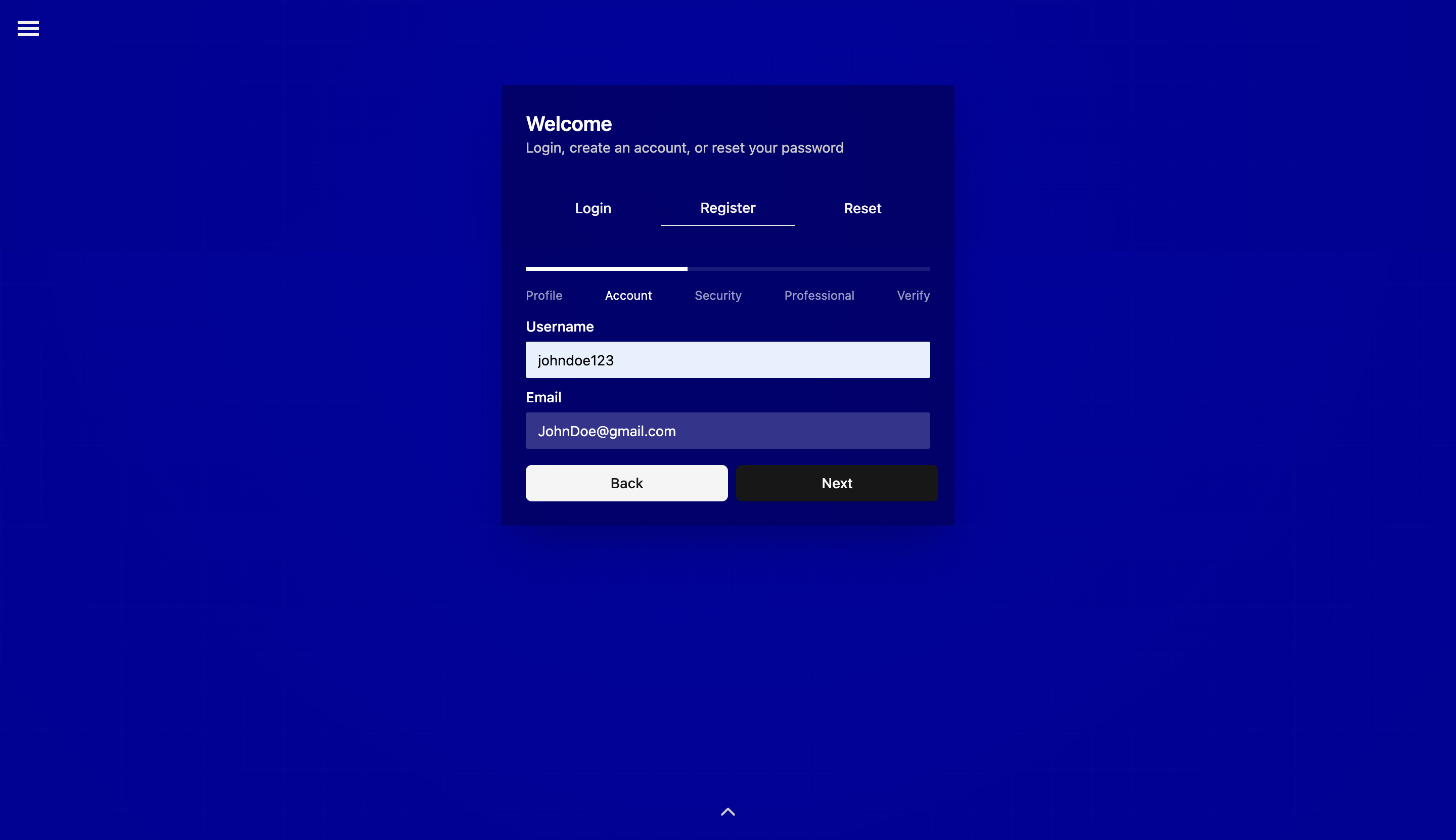
These images illustrate traditional multi-step registration forms, UX success is measured by whether the user can complete each step correctly and reach submission. However, in data-driven applications, the focus shifts from mere completion to whether the user can correctly interpret what the system is doing with their inputs and trust those interpretations enough to proceed.
The interface becomes less of a surface and more of a decision environment - something that actively shapes how users interpret reality through data.
Data Collection in Applications
Applications collect data in two primary ways: directly through user input and indirectly through user behavior.
Structured forms (such as registration, login, and profile pages) allow users to intentionally provide information. UX designers shape these forms to ensure clarity, consistency, and ease of use, improving both user experience and data quality.
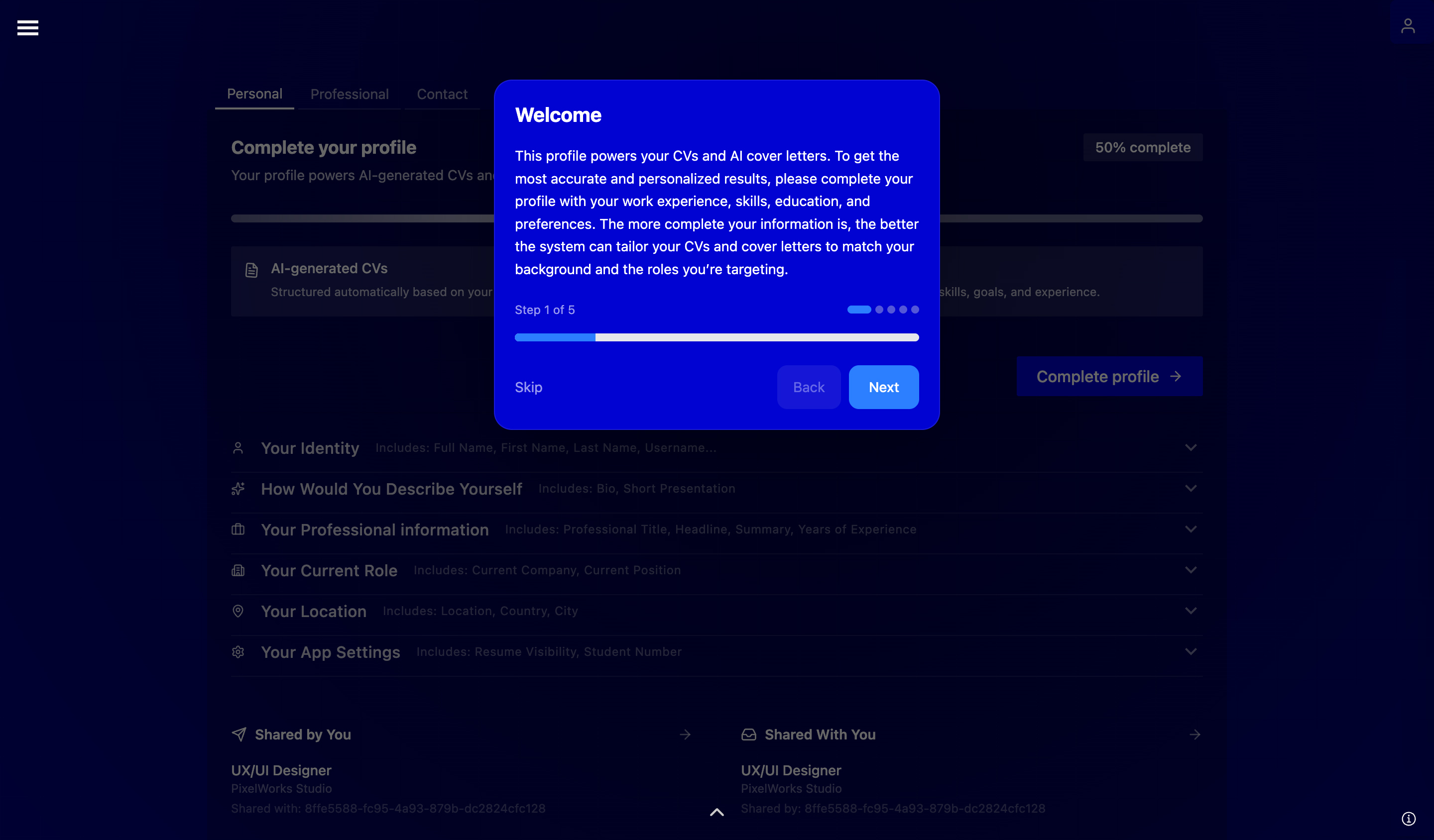
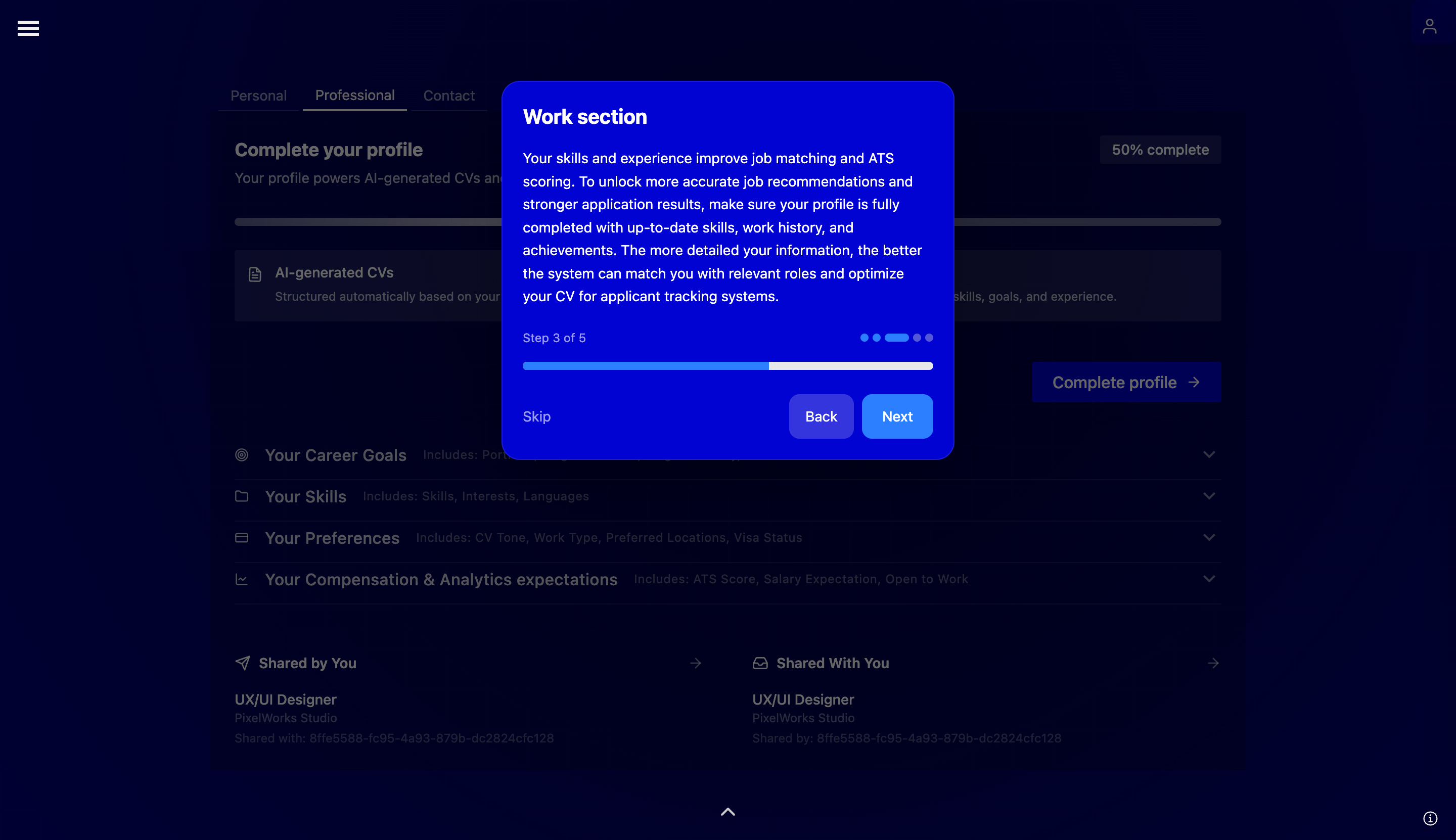
Example of a profile page
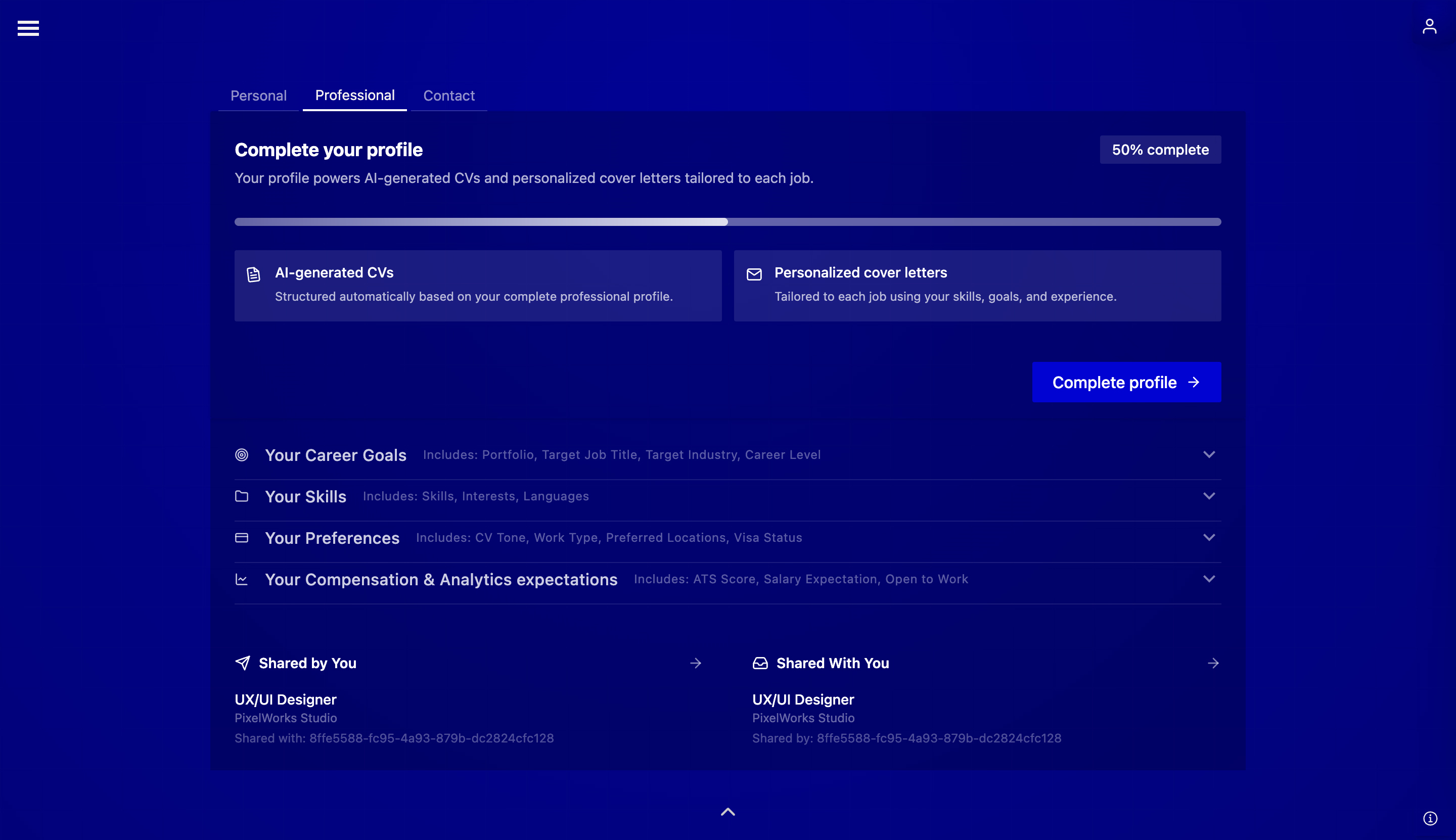
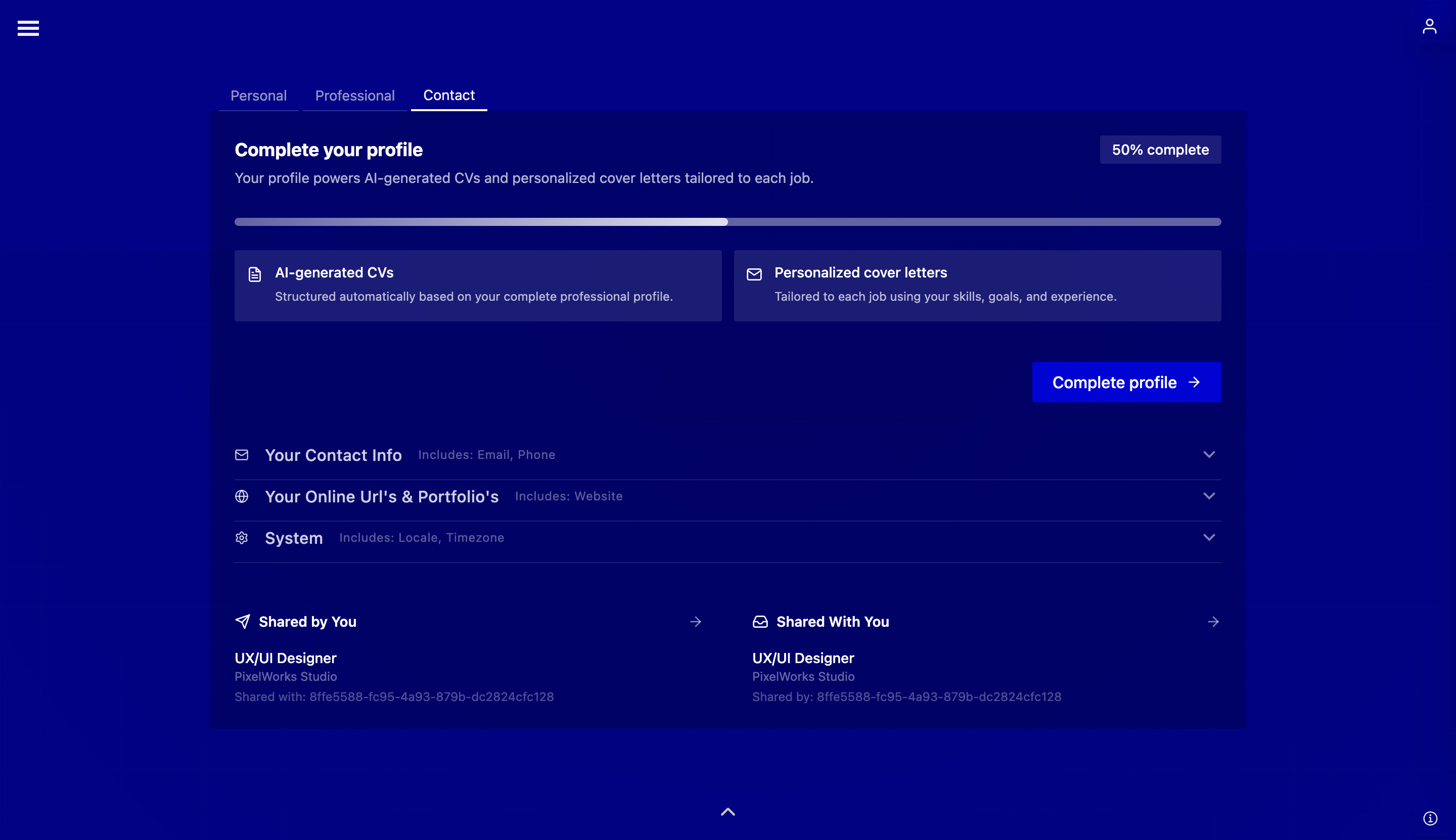
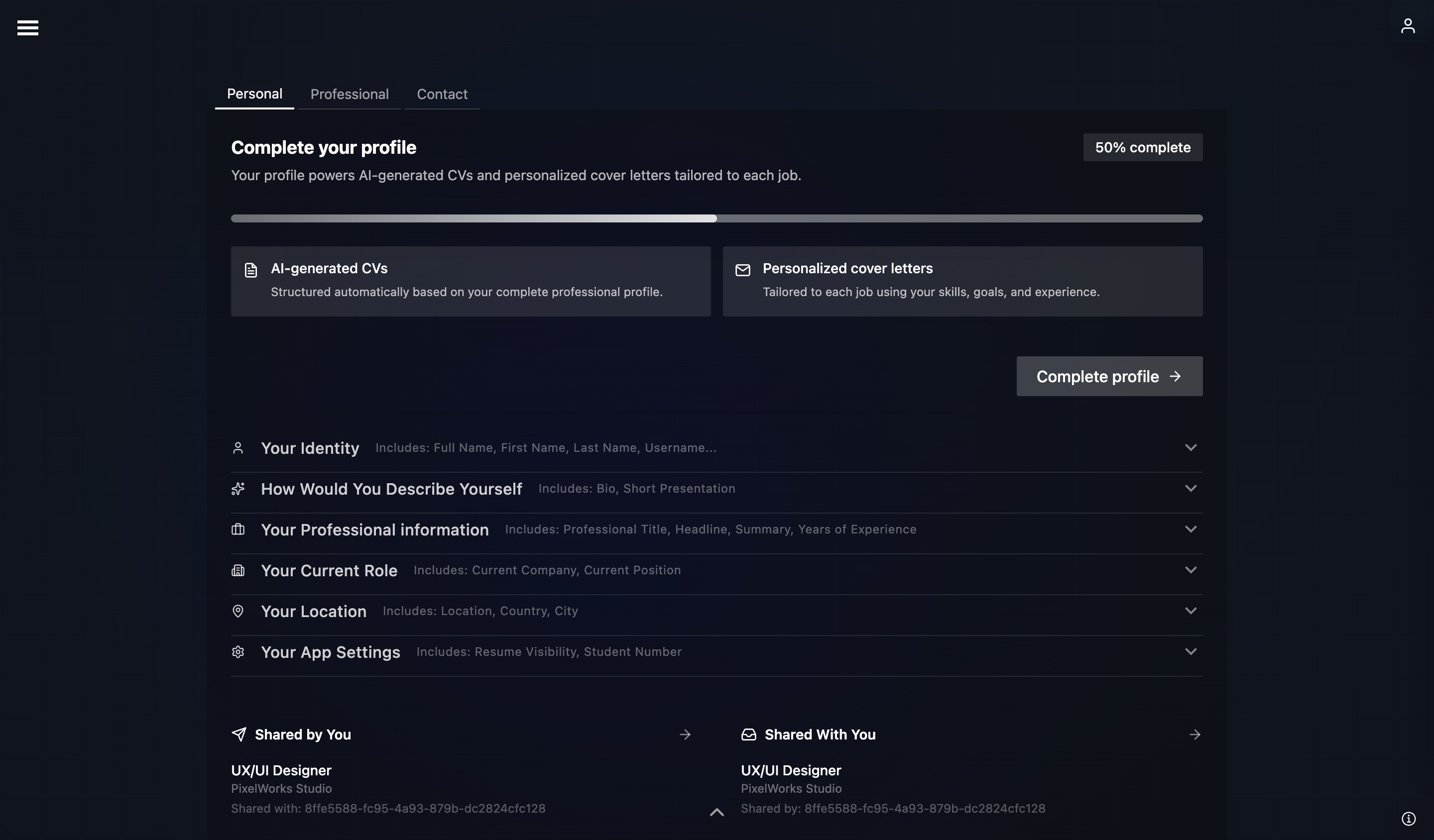
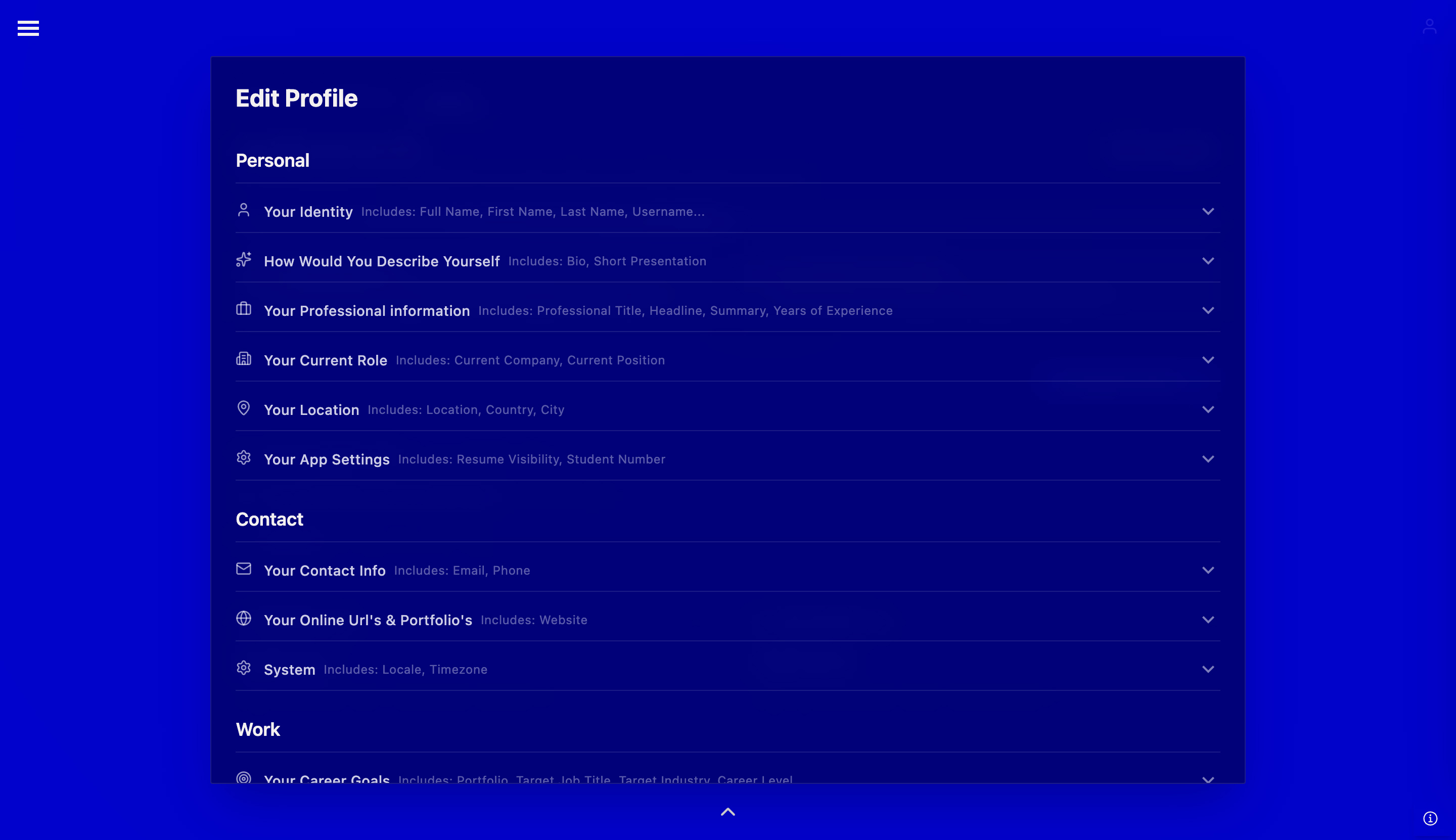
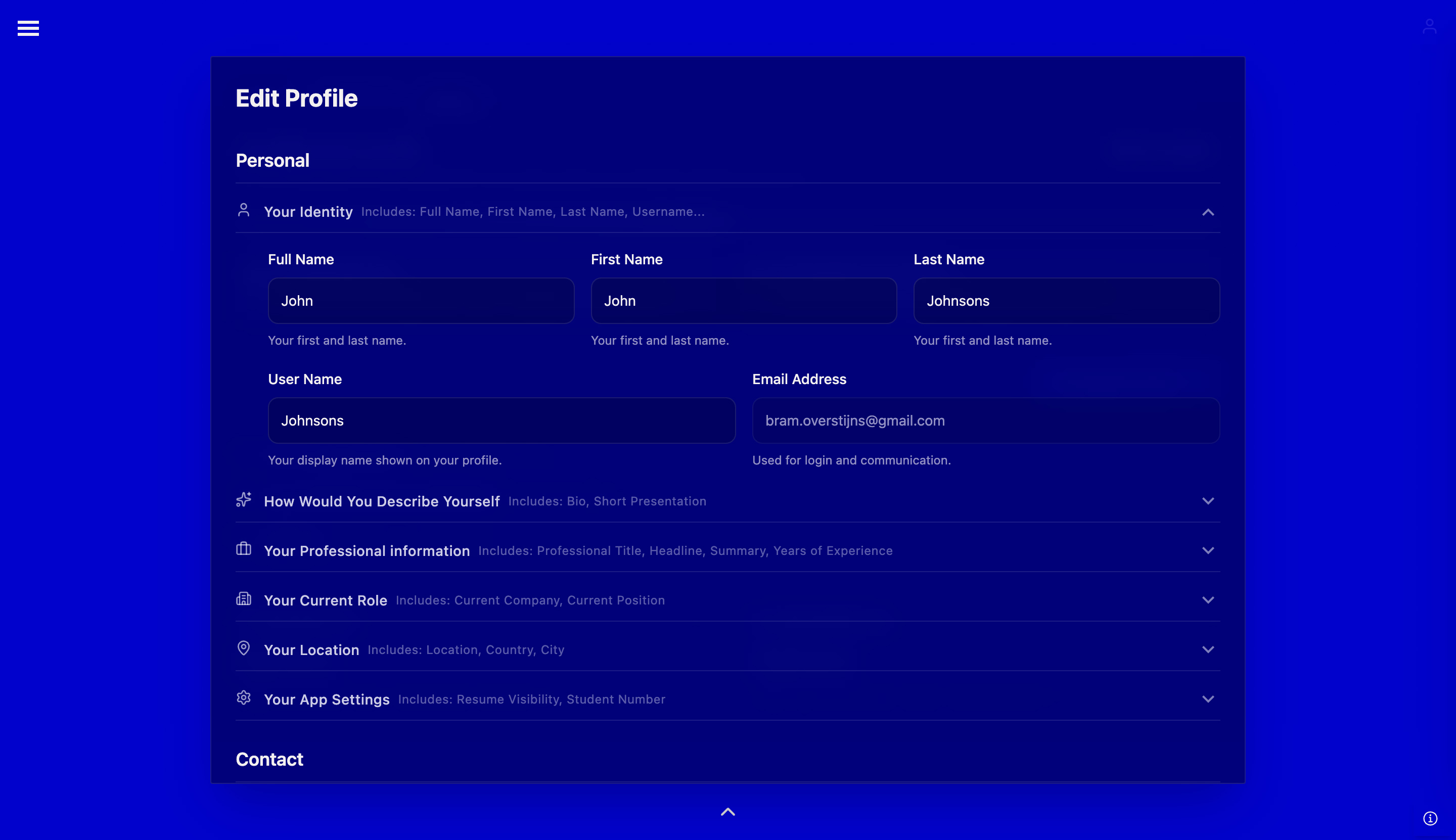
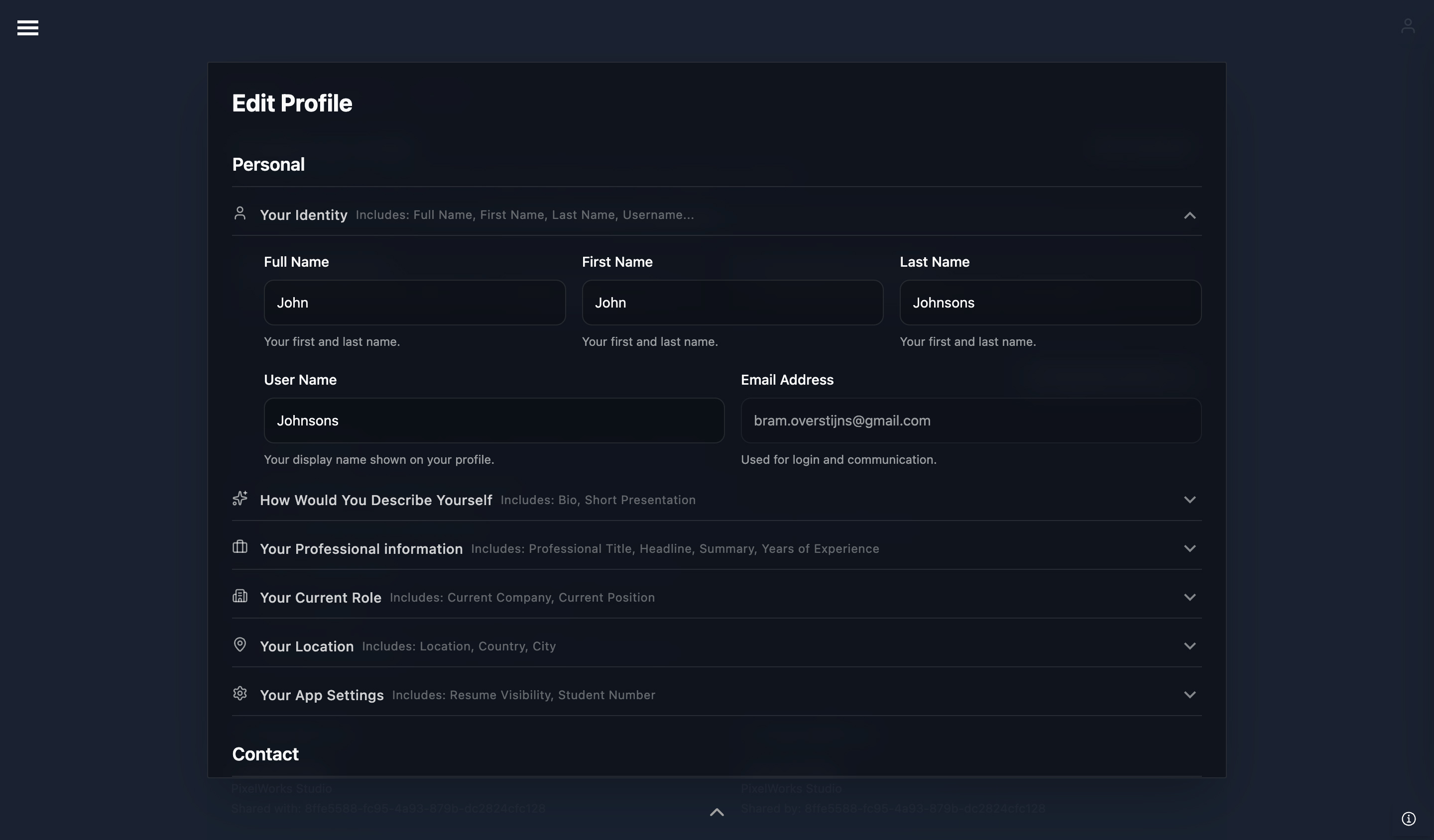
These images present an extended example of a user profile within a job application platform. The information is organized into distinct sections and forms, and the call to action encourages users to complete their profile, enabling the system to operate more efficiently.
In addition, systems collect behavioral data such as clicks, navigation paths, page views, and feature usage. This interaction data is captured automatically and used to improve personalization, performance, and product decisions.
Designers play a role in ensuring this data collection remains transparent, purposeful, and aligned with user trust.
This image illustrates an overview of data collected through interactions.
UX designers help shape how user interactions are captured in the background, such as clicks or navigation patterns. Their role includes ensuring these data collection methods support the product goals while keeping the experience smooth, intuitive, and respectful of user trust.
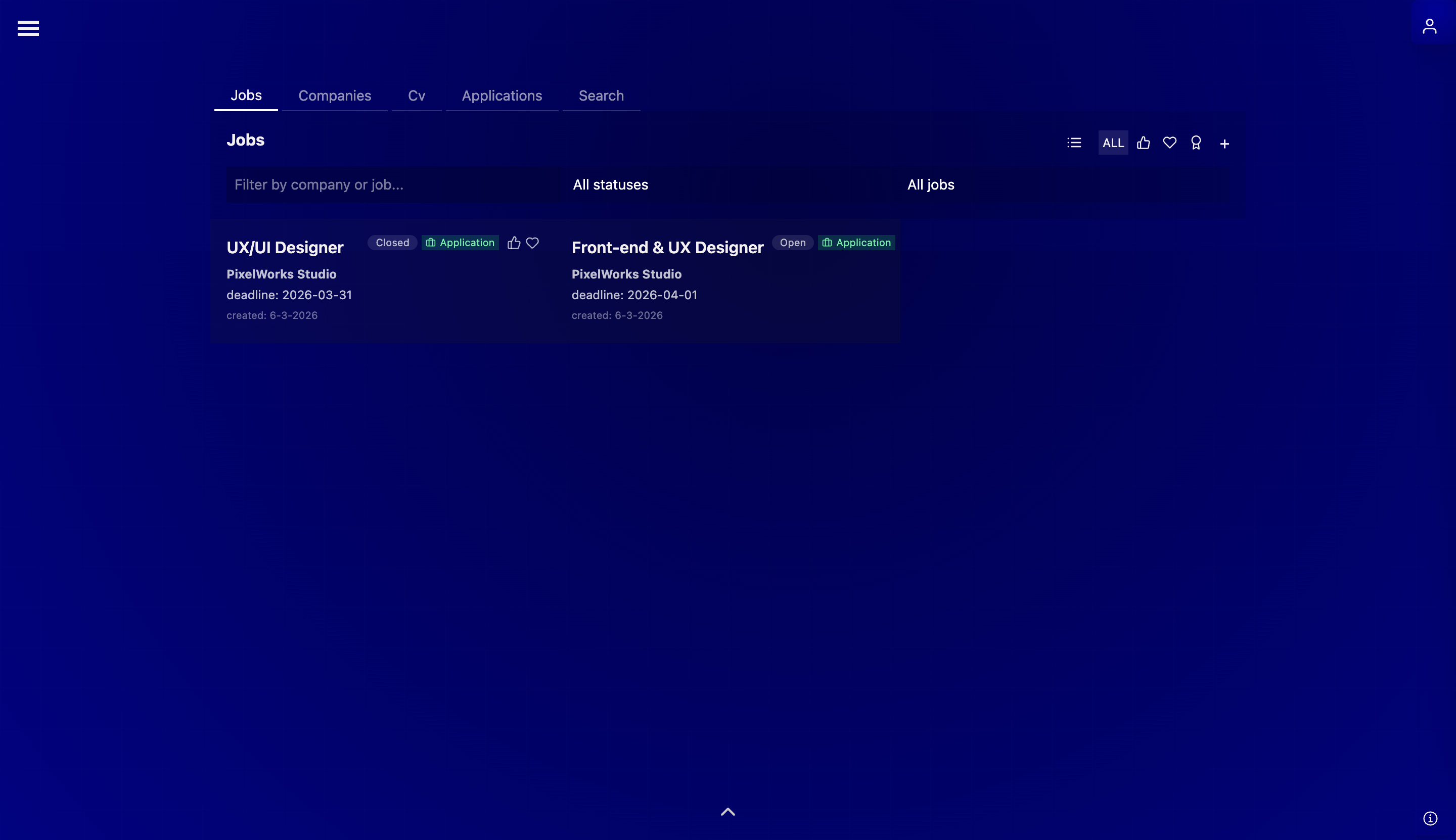
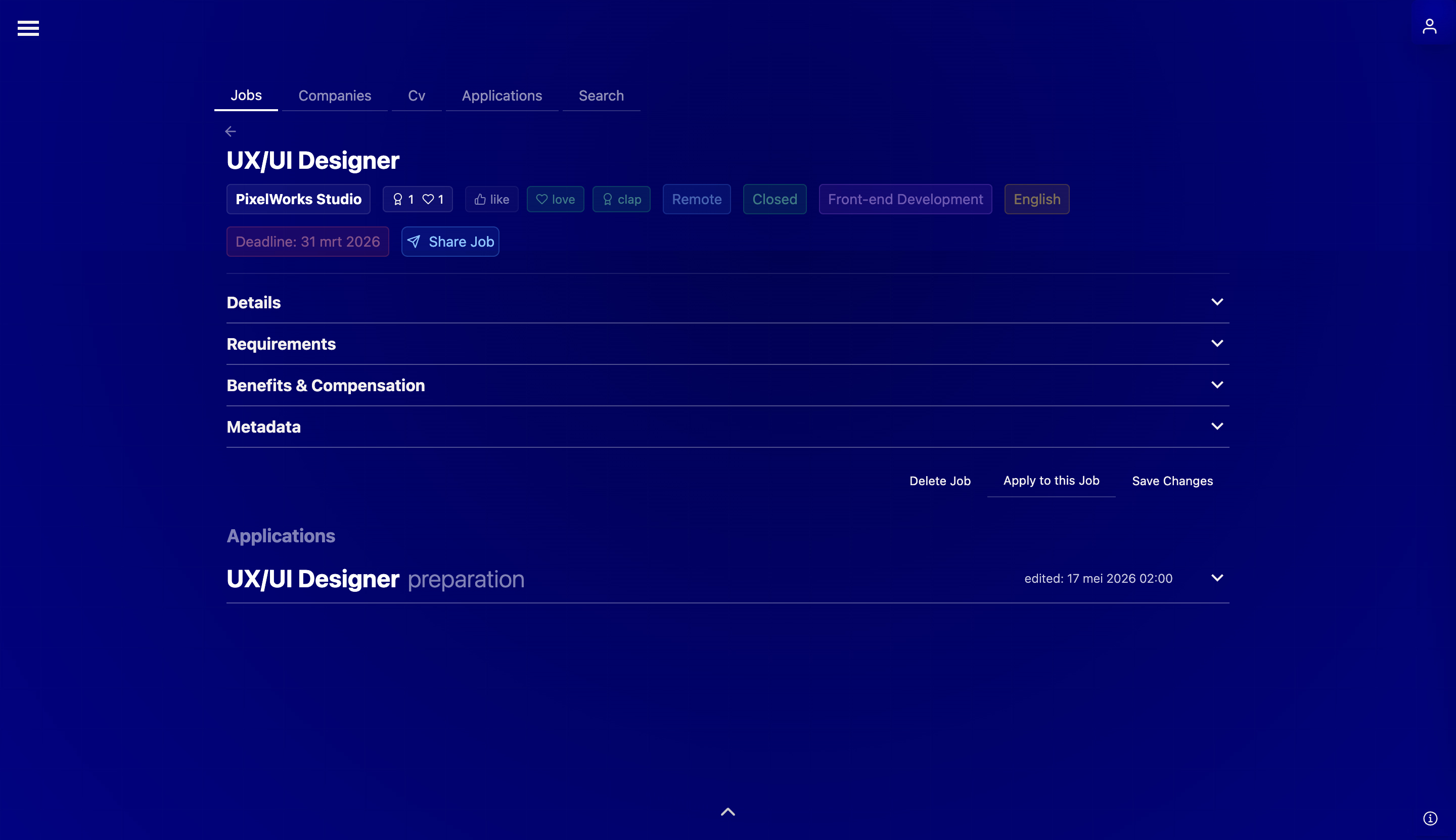
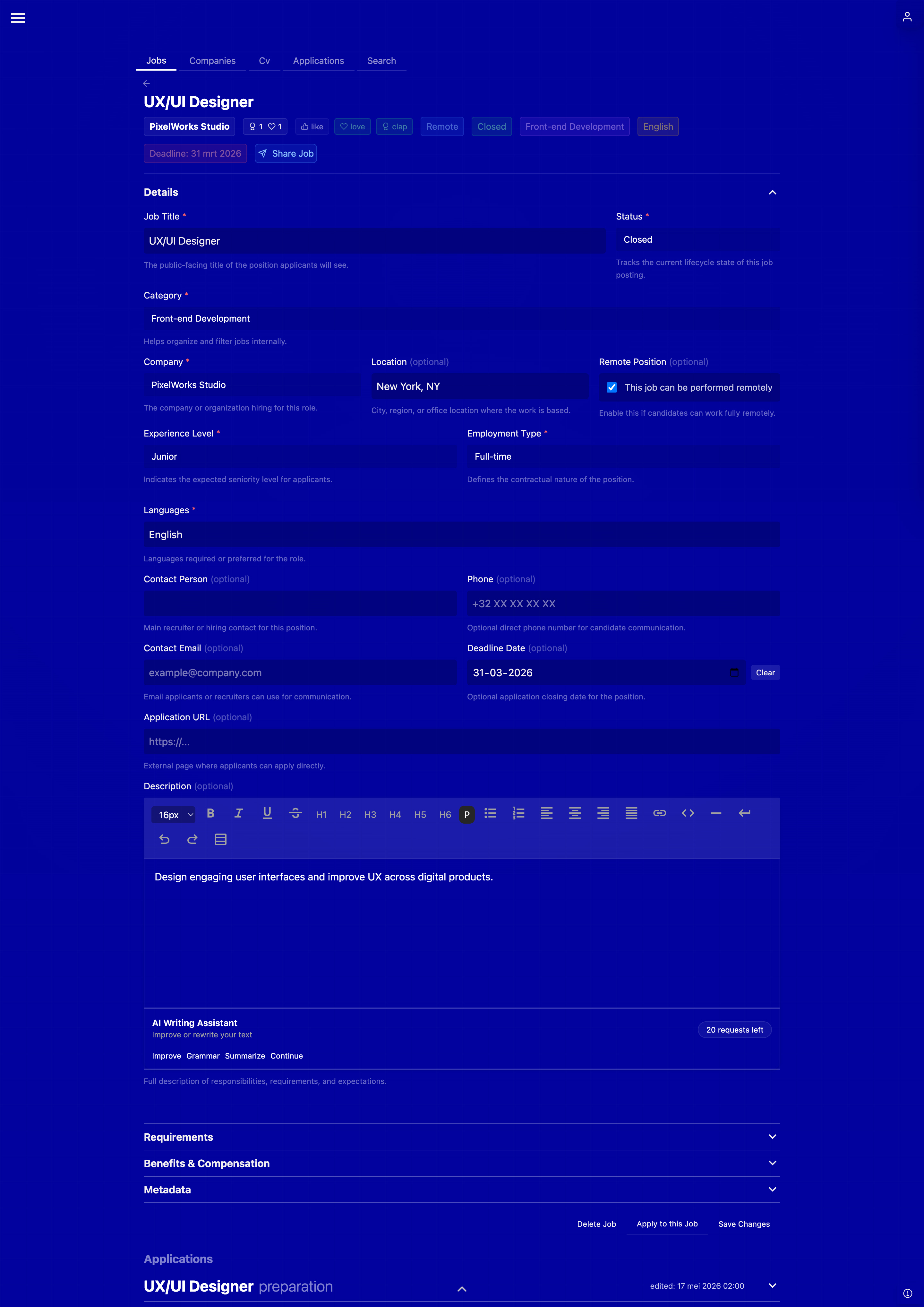
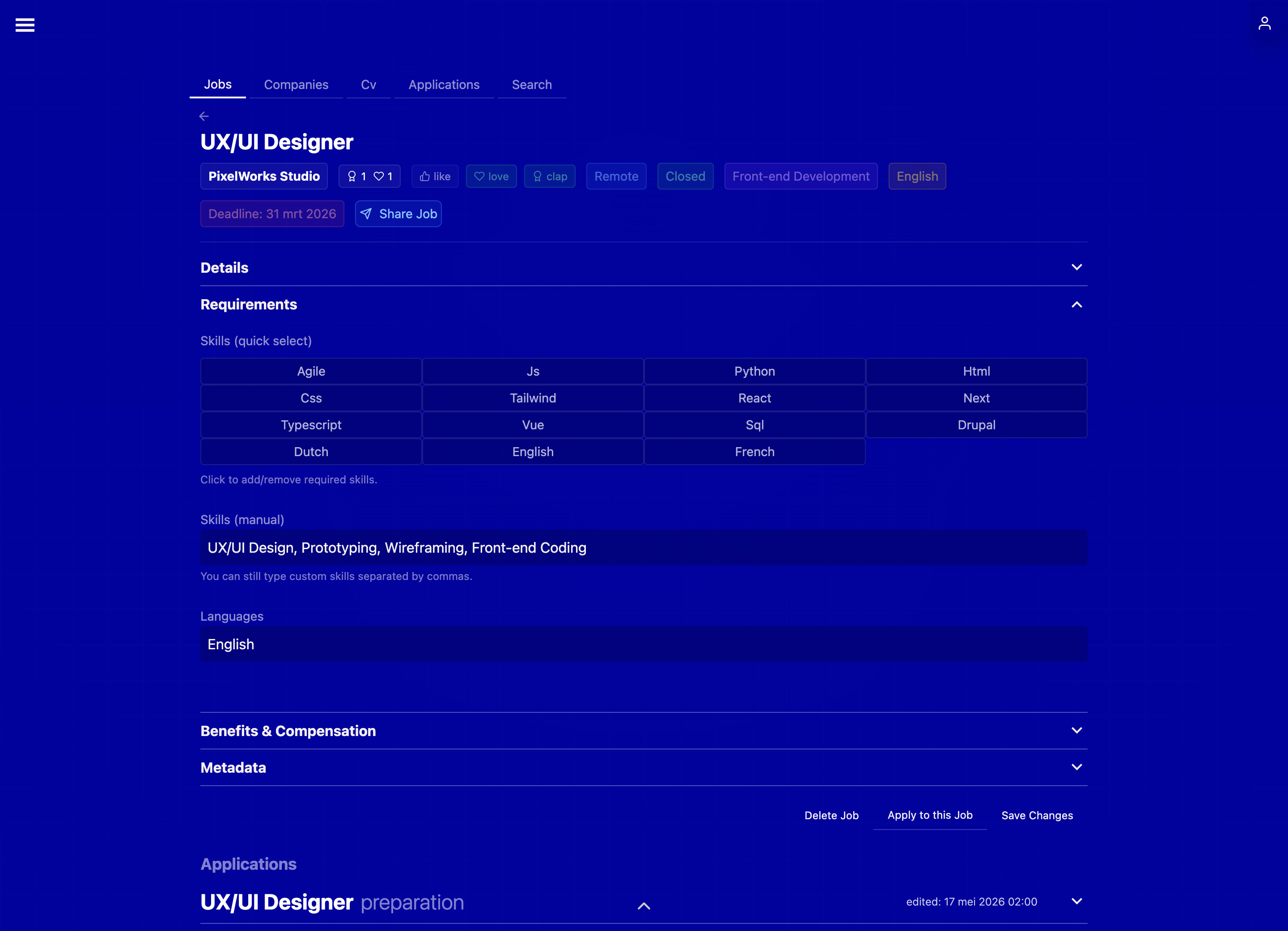
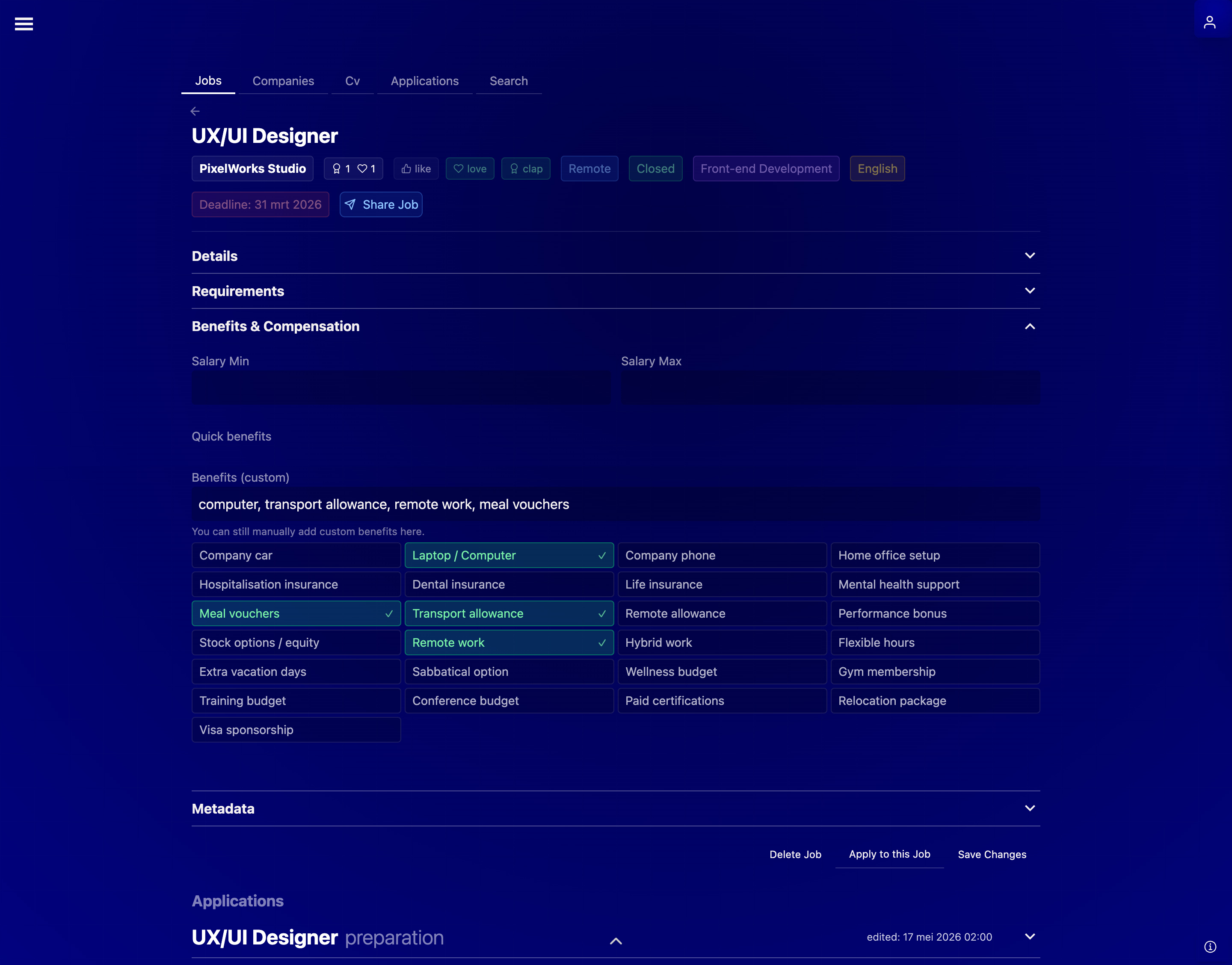
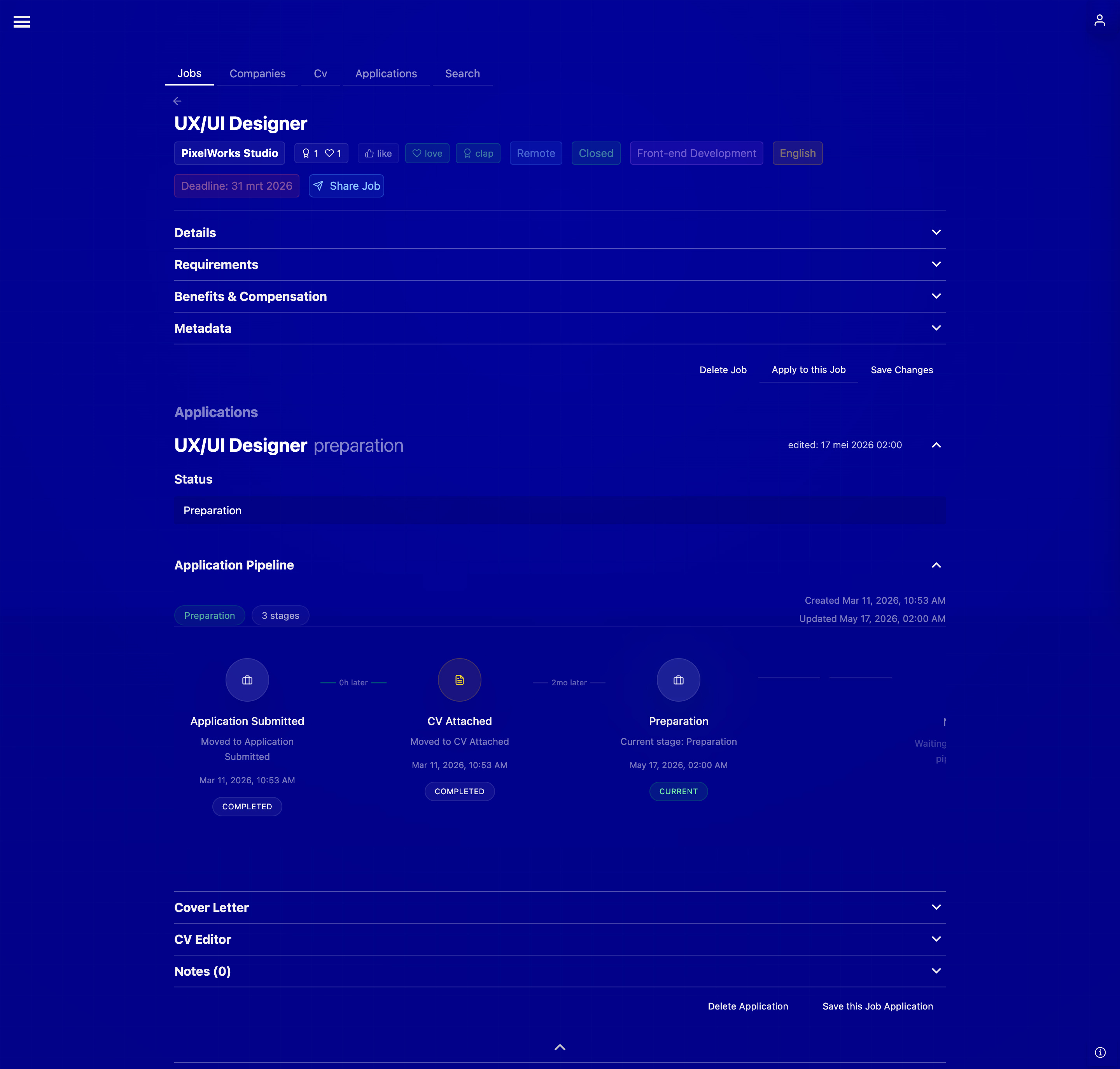
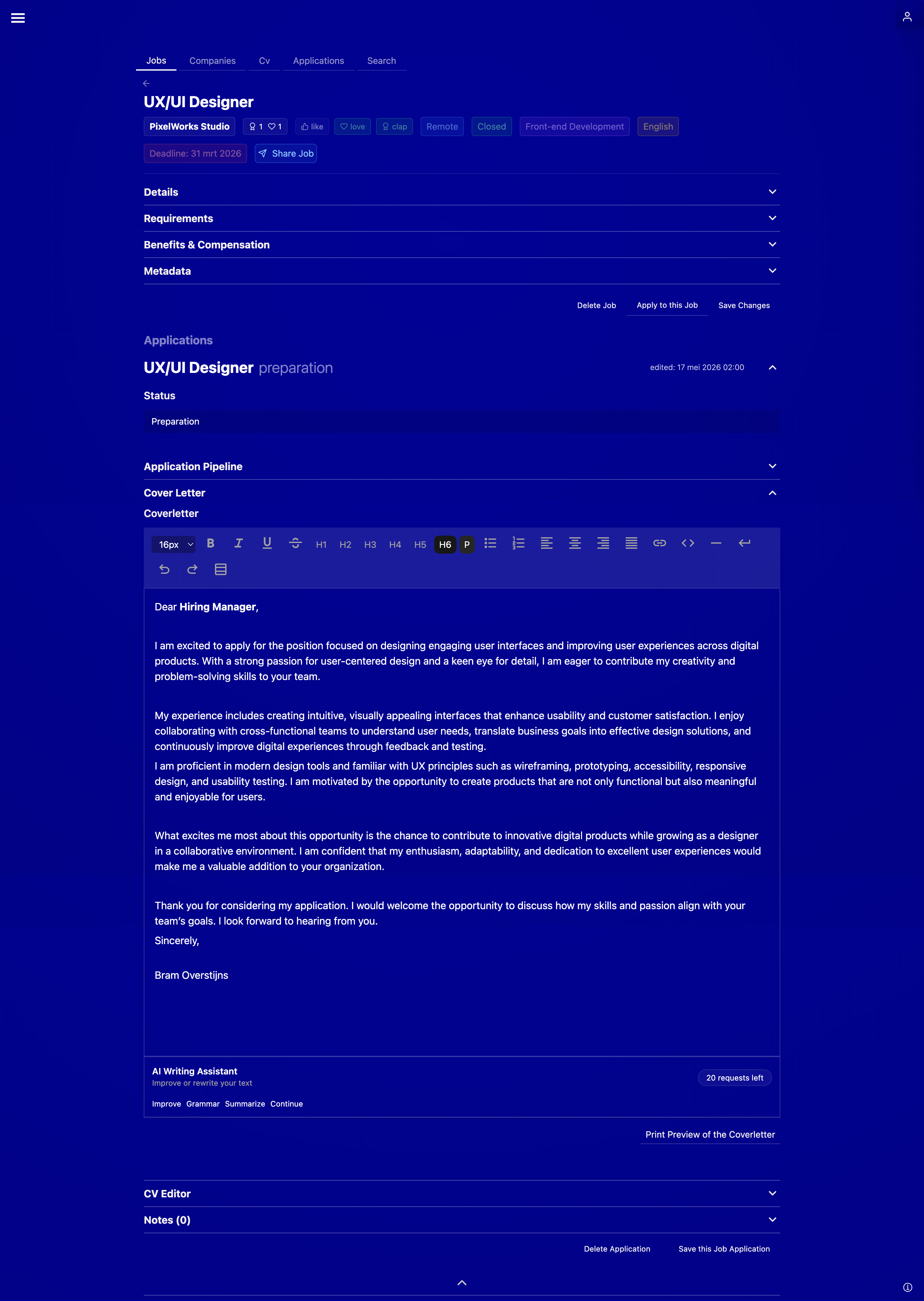
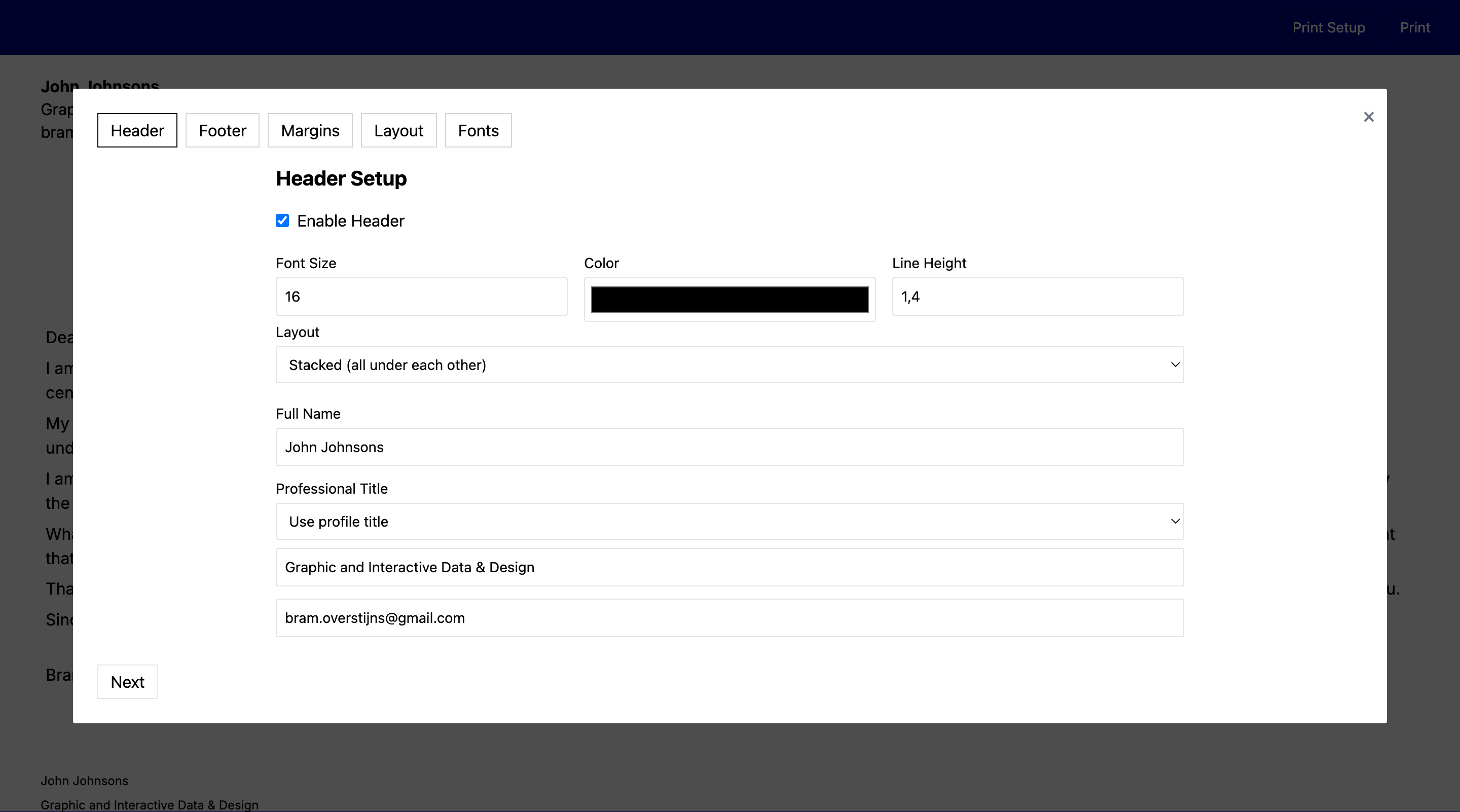
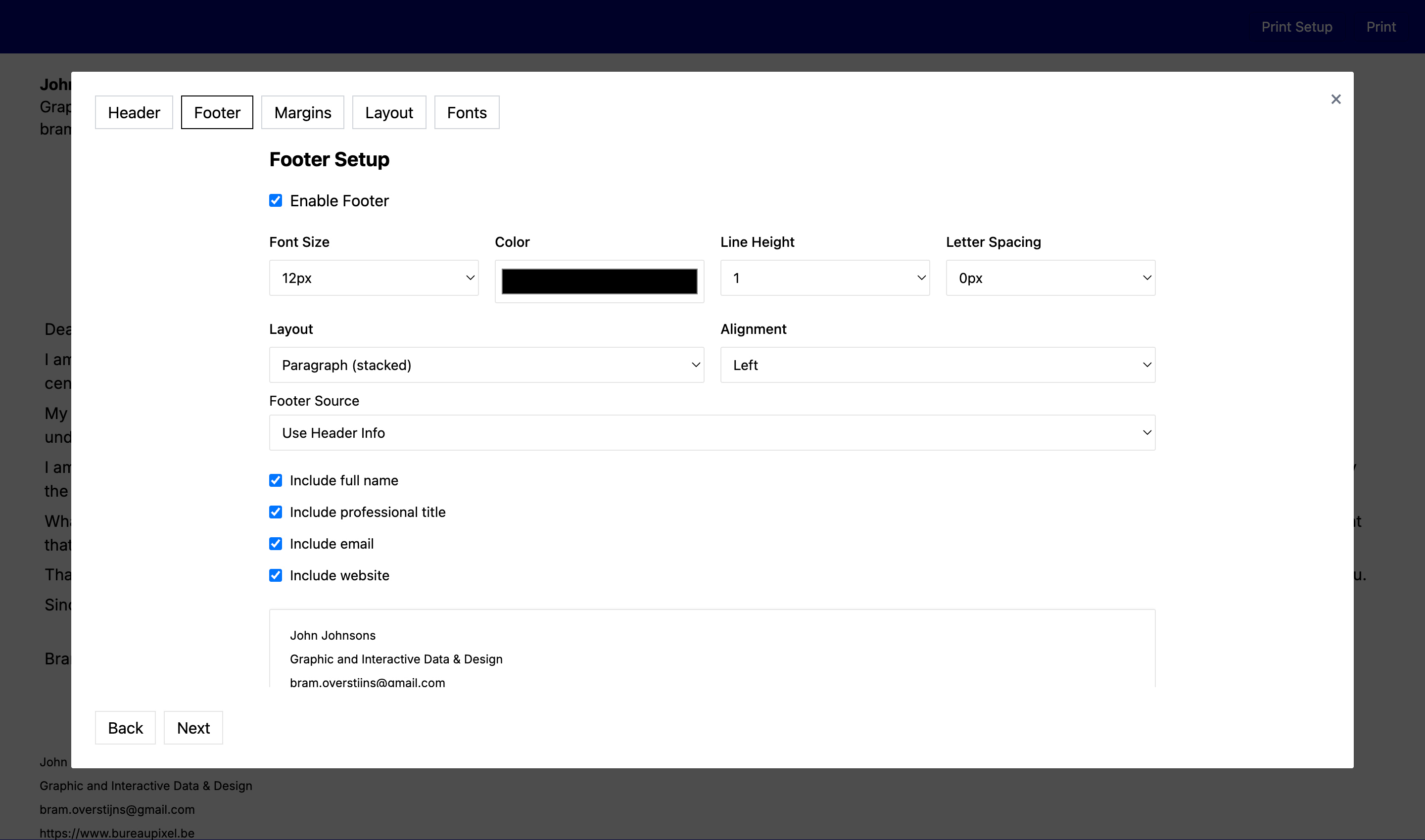
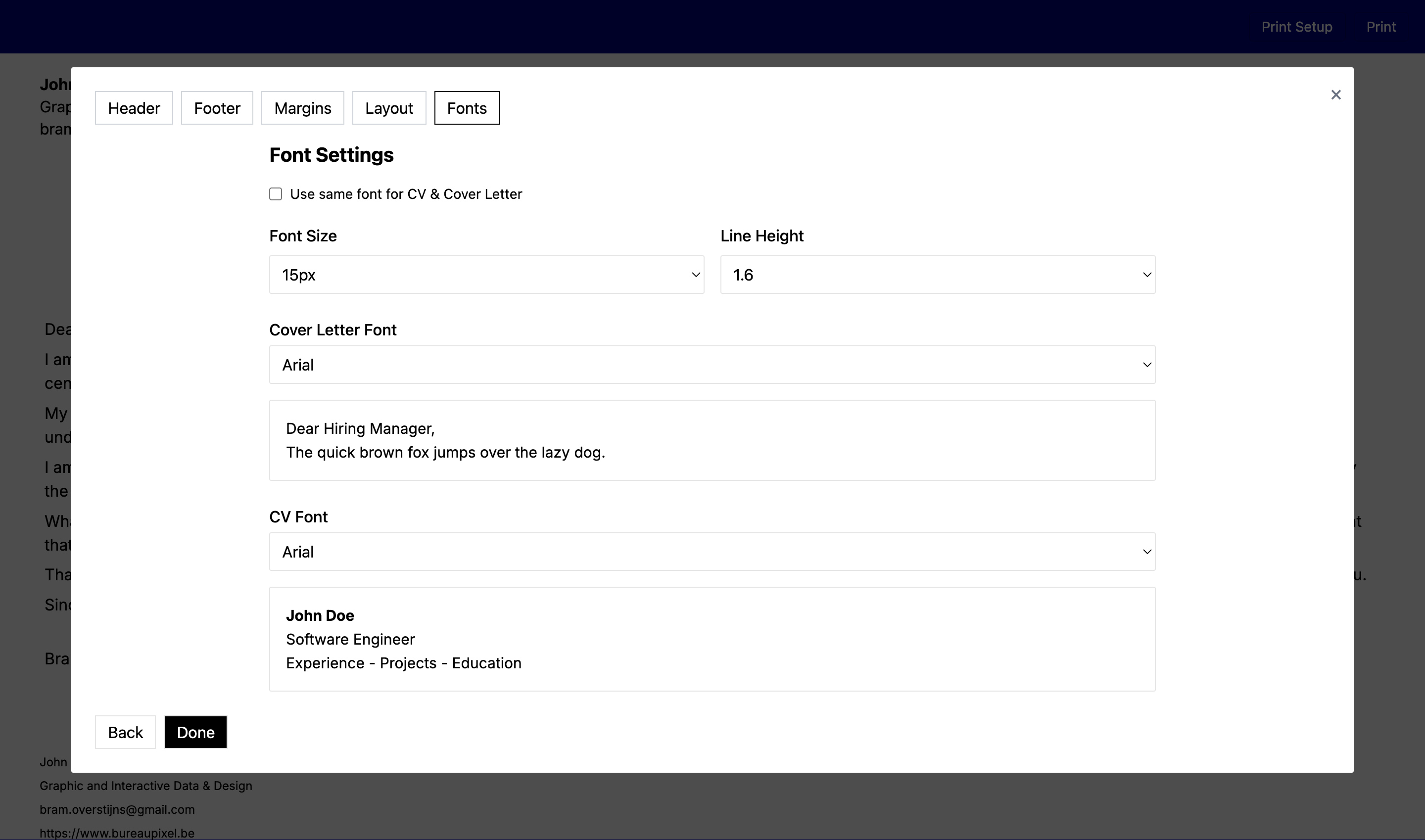
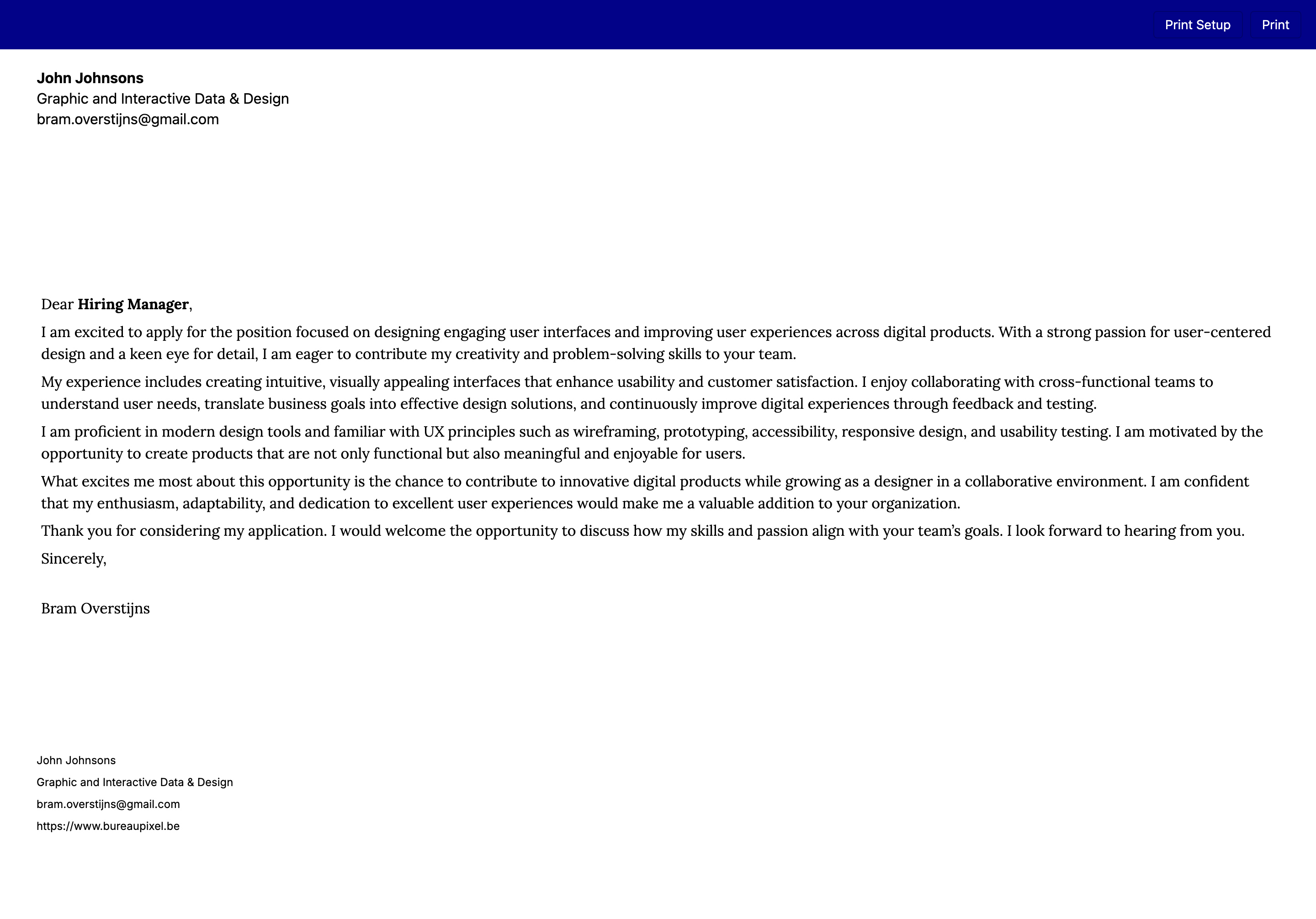
The screenshots above demonstrate how app-specific data flows and interfaces can be designed to support users' goals within a job application platform. Rather than treating each screen as an isolated interaction, the platform guides users through a connected process in which job opportunities are stored and organised, application materials such as CVs and cover letters are managed and reused, and artificial intelligence assists in adapting these documents to the requirements of specific vacancies.
Each interface is designed around the user's underlying objective: finding relevant opportunities, preparing tailored applications efficiently, and maintaining oversight throughout the application process. By structuring how information moves between these stages and presenting the right data at the right moment, the platform transforms a complex and often fragmented task into a coherent, decision-support experience.
Data Visualization and Interpretation
Data visualization helps users understand and act on complex information more effectively.
In data-driven applications—such as dashboards, analytics tools, or tracking systems—carefully designed visual structures transform raw data into understandable patterns. Users can track progress, identify missing information, and make informed decisions based on visual feedback.
By translating structured data into meaningful visual forms, the interface becomes a decision-support environment rather than just a static display.
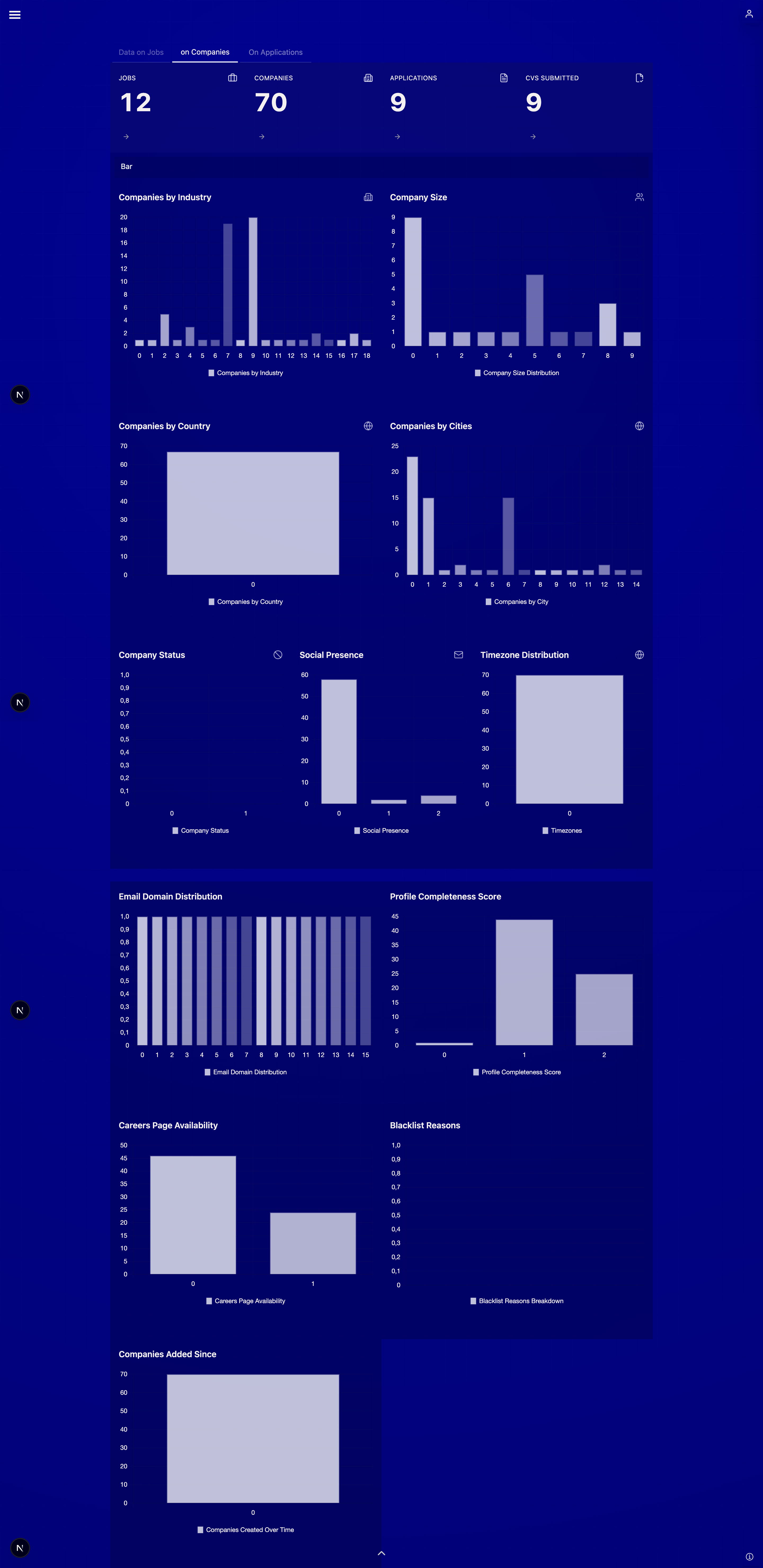
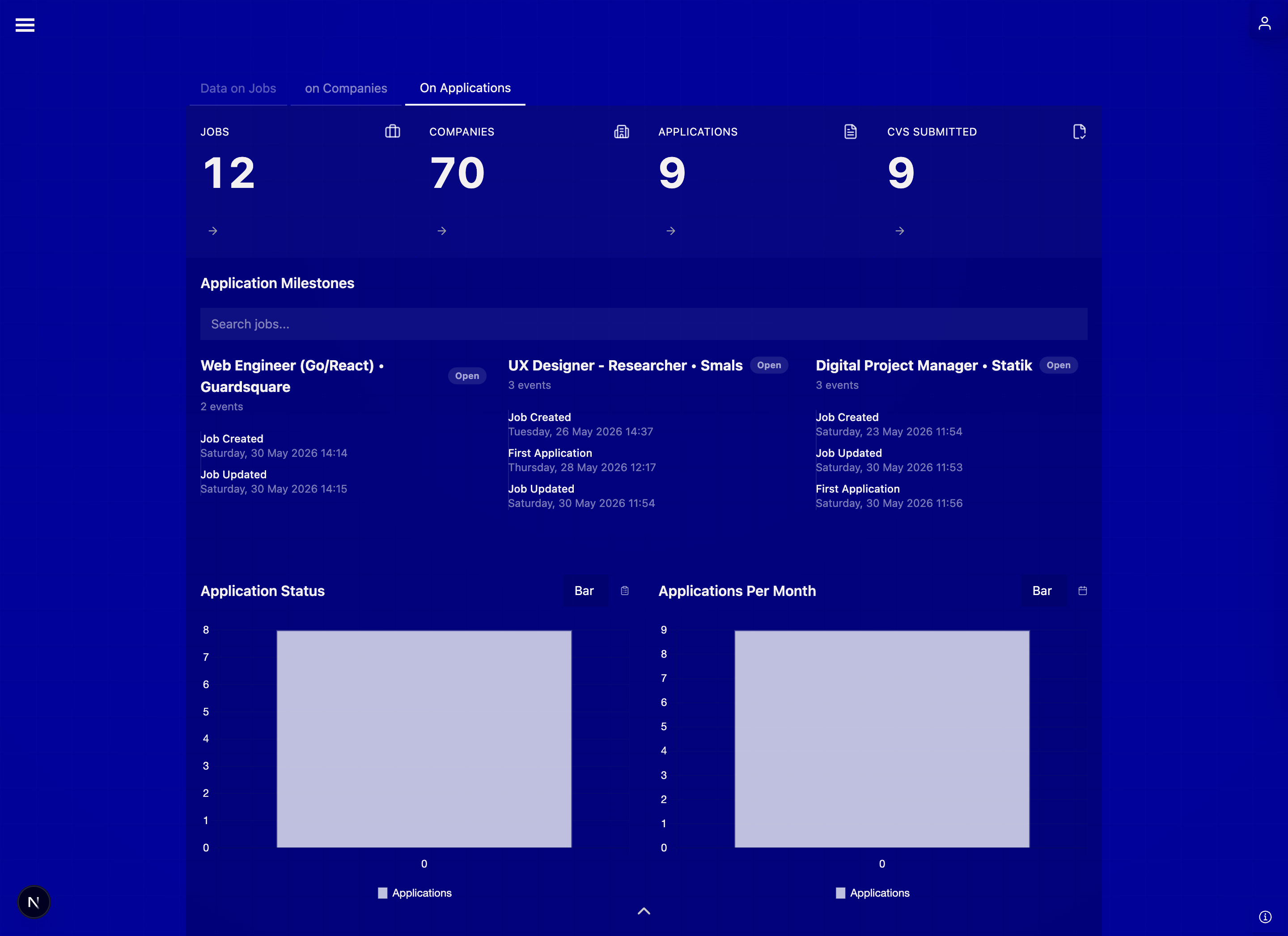
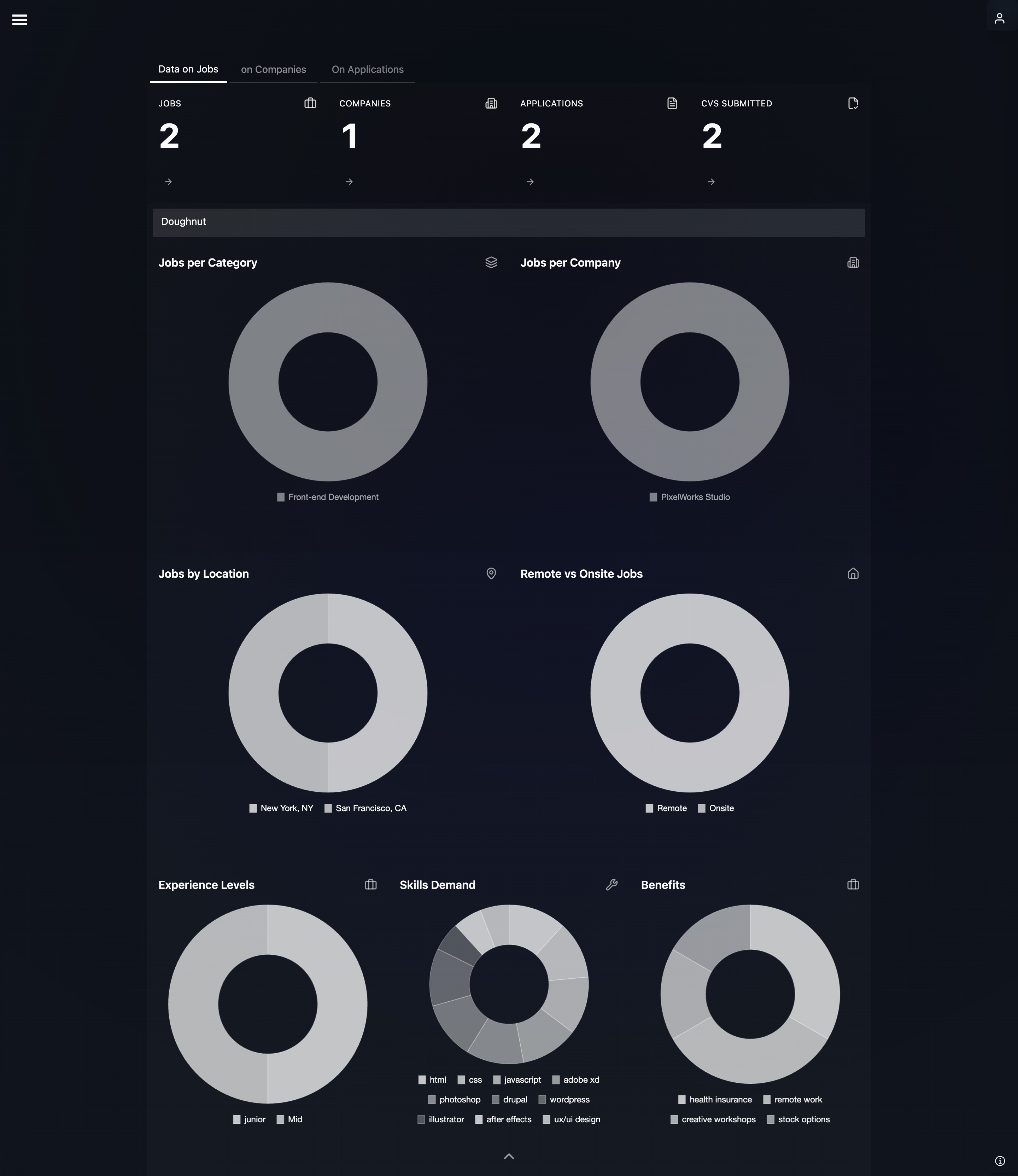
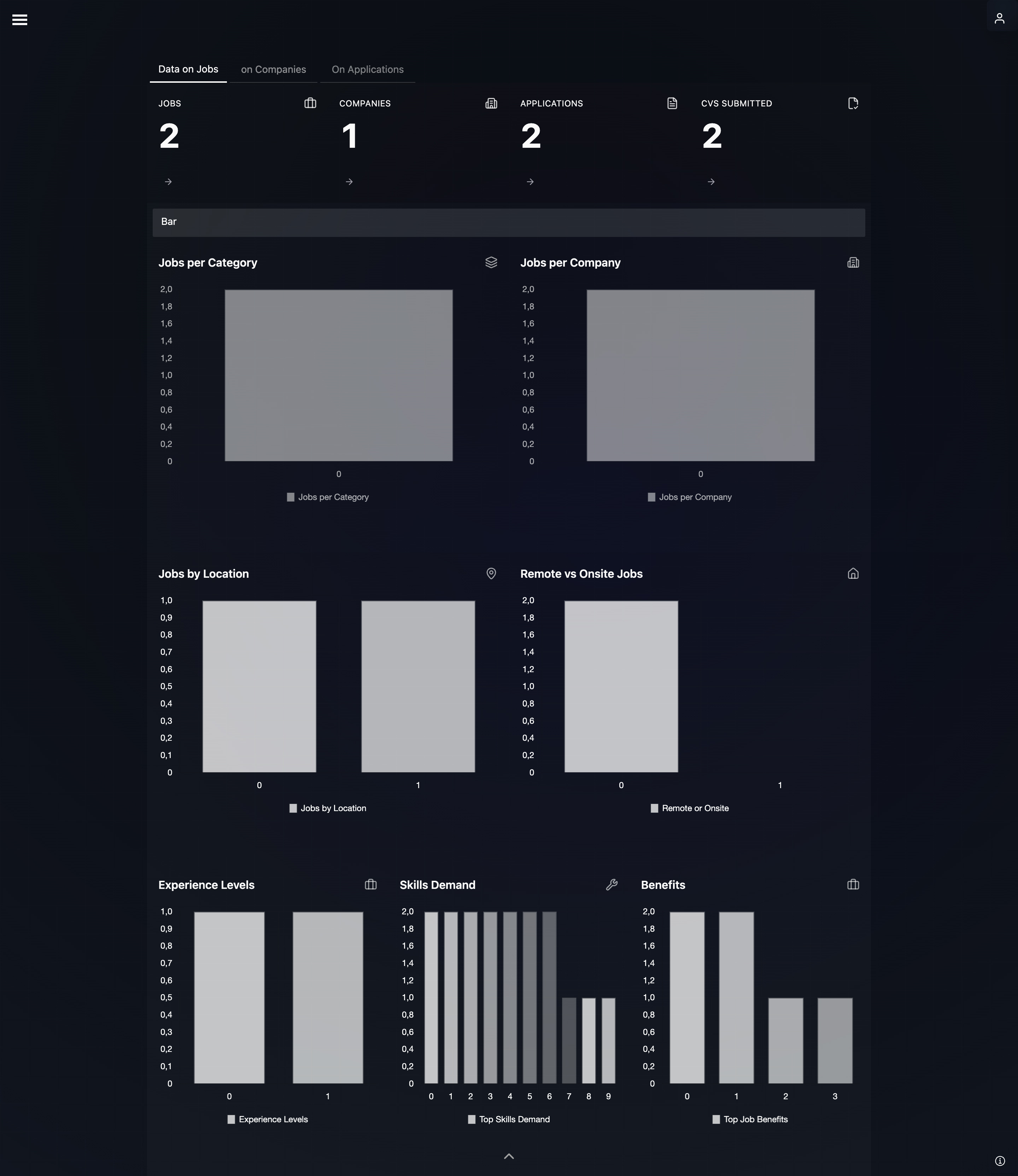
Explore a live demo showcasing UI, UX, and data-driven interactions built with modern web technologies. The screenshots below highlight real interface flows, design decisions, and data visualization examples.
Conclusion: Role uf UX designers in application design
To build these kinds of applications, developers use a set of modern web tools. React helps break the interface into reusable parts (like building blocks), making complex apps easier to manage. Next.js builds on that by handling things like page loading, navigation between screens, and making the app fast and search-engine friendly. Alongside these, tools like Tailwind CSS, shadcn/ui, and Framer Motion help with styling and animations, while D3.js is used to create custom charts and data visualizations. Together, they allow teams to build applications that are not only powerful and fast, but also clear and responsive enough for users to explore and understand complex data.
Designerstools
Tailwind CSS
Tailwind CSS is a utility-first CSS framework that lets you build modern interfaces using reusable classes directly in your markup, speeding up development and keeping styles consistent.
Next.js
Next.js is a React framework for building fast web applications. It includes file-based routing, server-side rendering, static generation, and performance optimizations, making it easier to create scalable, production-ready websites.
Supabase
Supabase is an open-source backend platform that provides a PostgreSQL database, authentication, storage, and real-time features. It helps developers build full-stack applications quickly without managing complex backend infrastructure.